Use case · for developers

How to clear node_modules and free disk space

Find every node_modules folder on your disk, see how big each one is, review the batch, and remove only the ones you don't need. Native scanner for macOS and Windows, $19.99 one-time, no auto-delete.

Mac · Windows · one license, both desktops · lifetime $19.99

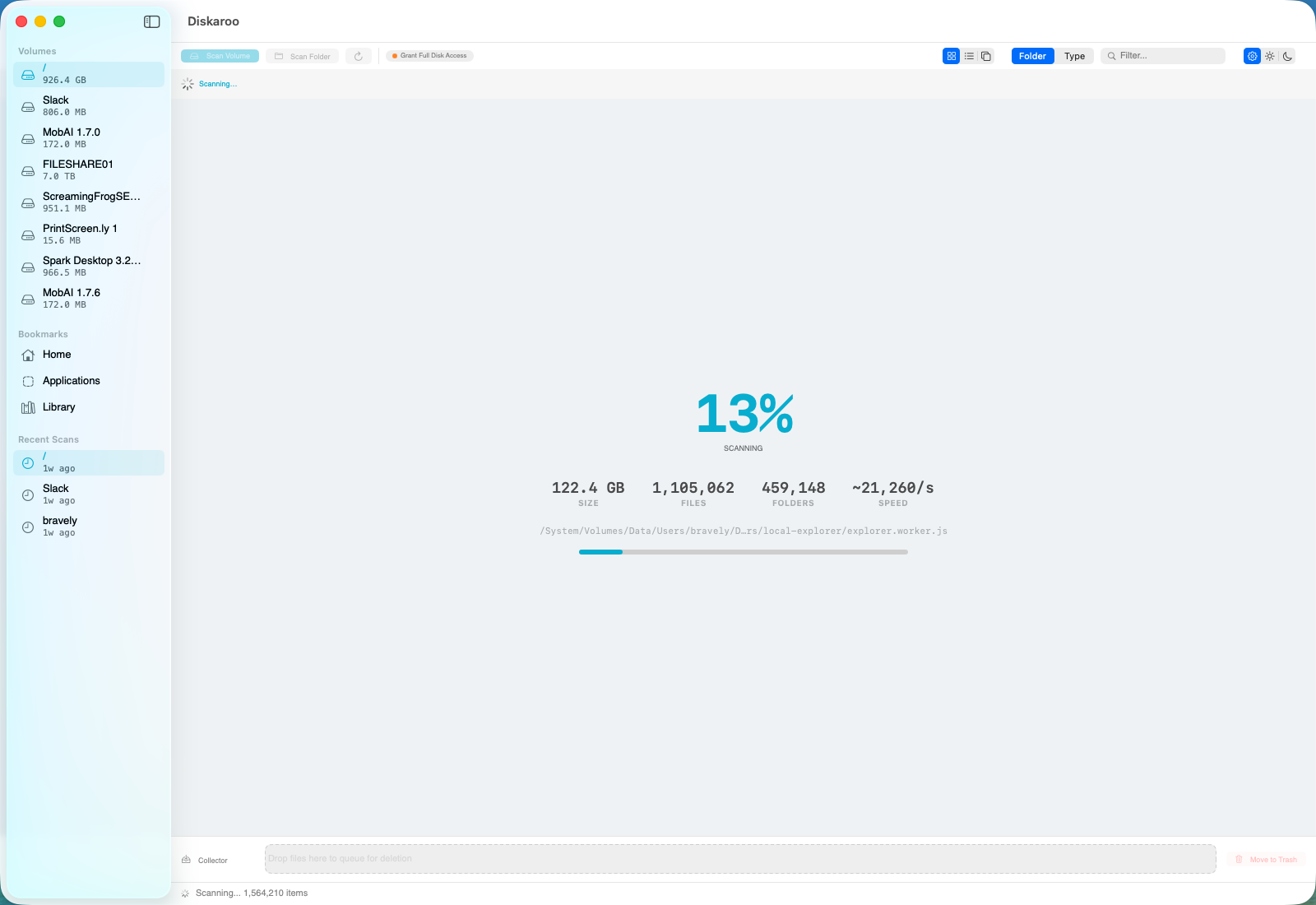
Diskaroo scanning a disk — live file count, treemap, and a collector tray showing folders queued for removal.

Live scan in progress — the biggest node_modules folders surface first.

Why node_modules gets so big

If you write JavaScript or TypeScript, you already know the feeling: a dozen old project folders, each carrying a node_modules directory that's 200 MB to several gigabytes, and collectively eating 20–60 GB you'll never get back by tidying Downloads. node_modules is the single most reliable disk hog on a developer's machine, and the worst part is that it's invisible — buried several folders deep, never showing up where you'd think to look.

Every project installs its full dependency tree locally. Transitive dependencies multiply, native build artifacts get cached, and nothing cleans up after itself. A repo you haven't touched in eight months still has its entire node_modules sitting there. Multiply that across every side project, every cloned repo, every tutorial you followed once, and the number gets large fast.

How to find and clear it with Diskaroo

Diskaroo is a disk-usage map: it scans a drive or folder and shows you a visual treemap of exactly where space went, so stacked node_modules directories stop hiding. Here's the workflow.

  1. Scan your projects folder (or whole drive).

    Point Diskaroo at the directory where you keep code. It builds a treemap and a sortable list view so the biggest consumers surface immediately.
  2. Spot the node_modules pattern.

    In the treemap and list view, repeated node_modules folders across project after project become obvious. Use smart filters and the largest-first list to see total impact.
  3. Drill in to confirm.

    Use drill-in and the breadcrumb to verify a given node_modules belongs to a project you no longer need built — you can always reinstall with one command later.
  4. Send the batch to the collector tray and confirm.

    The collector tray is a review-before-trash staging area: add the folders you want gone, review the whole batch in one place, then trash them deliberately. Nothing is deleted until you confirm the batch. Empty the trash and you've got tens of gigabytes back; npm install rebuilds any project you need again later.

Why a visual map beats a find one-liner

You can absolutely script this with a find . -name node_modules -prune -exec rm -rf incantation, and plenty of developers do. The reason a visual tool earns its place is review: a blanket script deletes everything matching the pattern, including the node_modules for the project you're actively working on if you run it from the wrong directory. Diskaroo's treemap shows you what you're about to remove, and the collector tray makes you confirm the batch before anything is trashed. For a destructive bulk operation, seeing it first is the safer habit.

One license, Mac and Windows

Diskaroo is a single $19.99 one-time purchase — no subscription — that includes the disk-usage map and exact, byte-identical duplicate detection, and works across both the Mac and Windows desktop apps on one purchase — useful if you develop on a Mac and also keep a Windows machine, since the same license covers both.

What Diskaroo does not do

To be straight about it: Diskaroo does not auto-clean on a schedule, doesn't have rules that purge node_modules automatically, and isn't a system optimizer. It shows you where space went and gives you a safe, reviewed way to remove it manually. Its duplicate detection finds exact, byte-identical copies only — not similar or fuzzy matches. If you want fully automated, hands-off cleanup, that's not what this is.

Diskaroo icon

Reclaim the disk in under five minutes.

Native Mac & Windows scanner with byte-exact duplicate detection. One $19.99 purchase, both desktops, no subscription.

Get Diskaroo

Related